> ## Documentation Index
> Fetch the complete documentation index at: https://innateinc-docs-skills-0-7-interface.mintlify.site/llms.txt
> Use this file to discover all available pages before exploring further.

# Connecting to a robot

The Innate App connects to your robot via WiFi. It can also work with your phone hotspot.

## First-Time Connection

If this is the first time you are connecting, the app will guide you through an onboarding flow:

1. **Bluetooth Pairing** — The app uses Bluetooth Low Energy (BLE) to discover your robot and configure its network settings

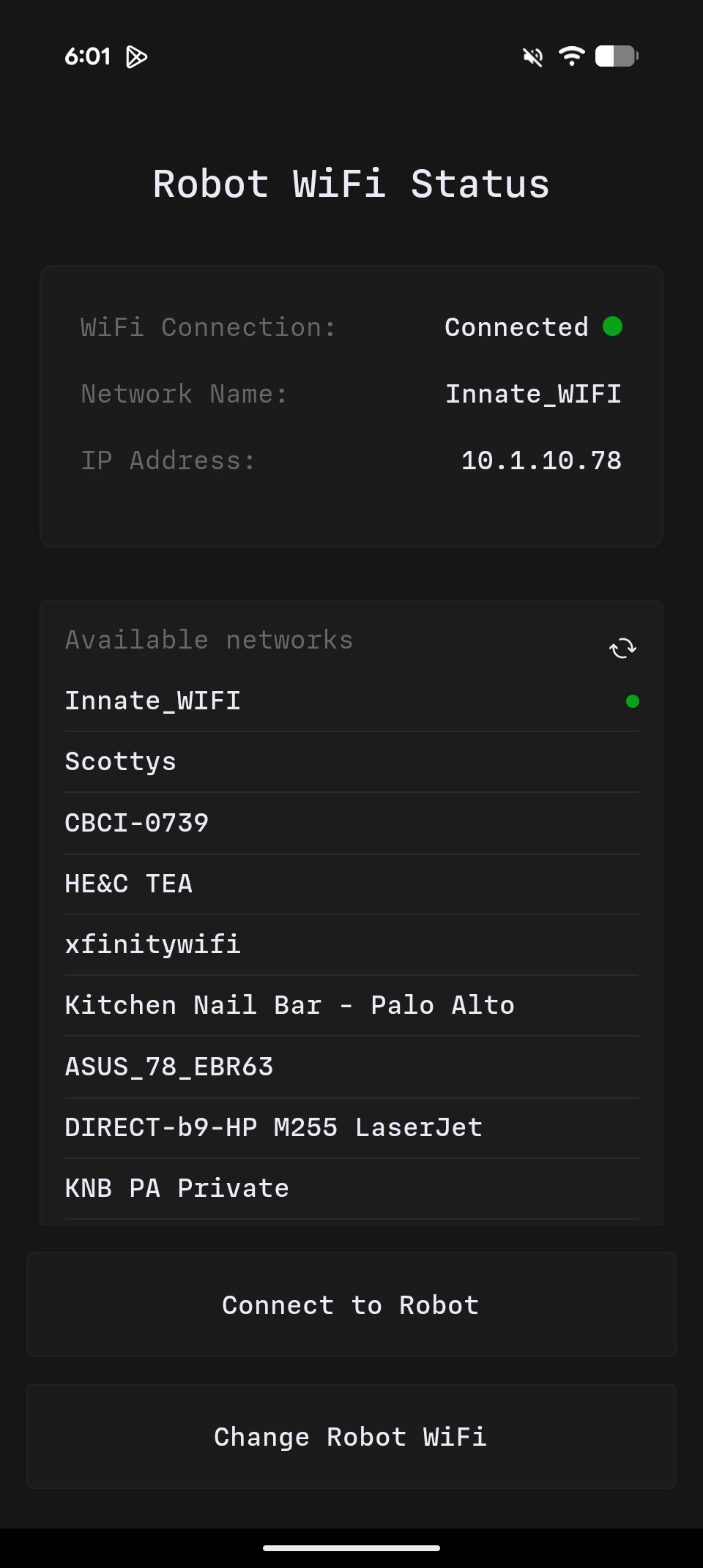
2. **WiFi Configuration** — Tell the robot which network to connect to

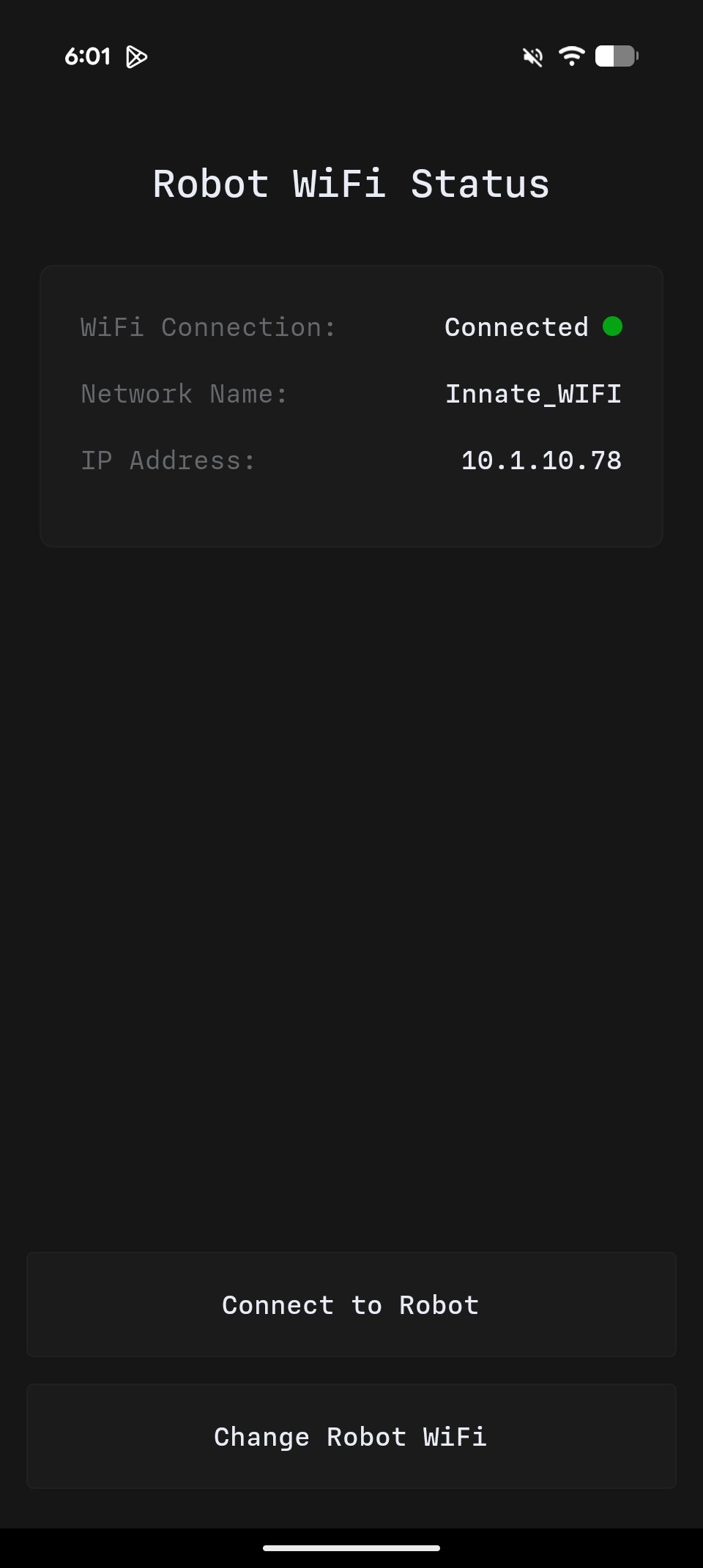
3. **Connection** — Once on the same network, the app connects to the robot via WiFi

The robot publishes its hostname with a `.local` suffix (e.g., `mars-robot.local`), making it easy to connect even if the IP address changes.
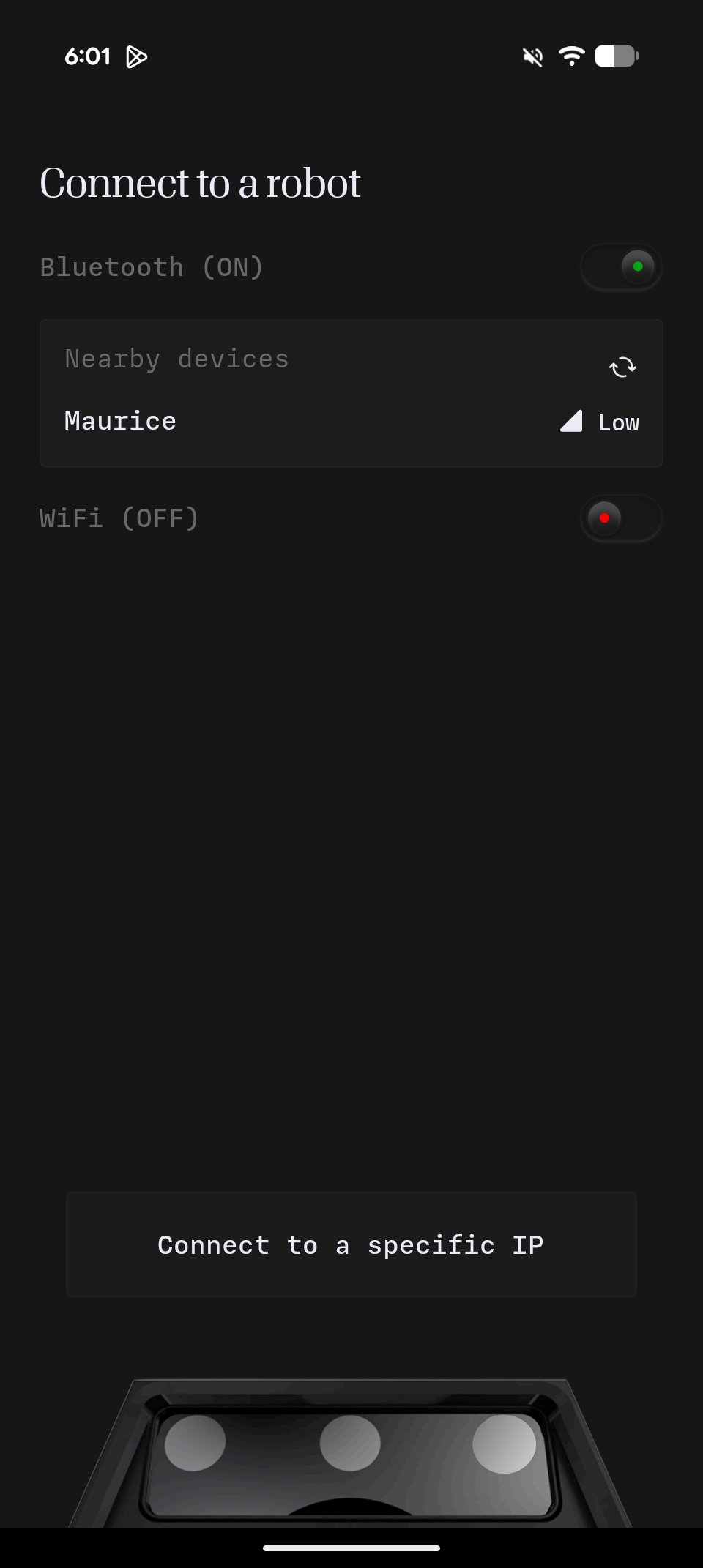
<Frame caption="Press on the robot when it appears to connect via bluetooth">
  <img src="https://mintcdn.com/innateinc-docs-skills-0-7-interface/Hziajix4iju7VrMU/images/main/robots/innate-controller-app/connect-step-1.png?fit=max&auto=format&n=Hziajix4iju7VrMU&q=85&s=e5ca3a55f4eaac677961348d9cff04ea" width="375" data-path="images/main/robots/innate-controller-app/connect-step-1.png" />
</Frame>

<Frame caption="If it's already on the same network than your phone, you can connect">
  <img src="https://mintcdn.com/innateinc-docs-skills-0-7-interface/Hziajix4iju7VrMU/images/main/robots/innate-controller-app/connect-step-2.png?fit=max&auto=format&n=Hziajix4iju7VrMU&q=85&s=5484110a0037af2c30843dafec356d89" width="960" height="2142" data-path="images/main/robots/innate-controller-app/connect-step-2.png" />
</Frame>

<Frame caption="Otherwise, select &#x22;Change Robot WiFi&#x22; to pick another network to connect it to">
  <img src="https://mintcdn.com/innateinc-docs-skills-0-7-interface/Hziajix4iju7VrMU/images/main/robots/innate-controller-app/connect-step-3.png?fit=max&auto=format&n=Hziajix4iju7VrMU&q=85&s=0232e91829141e07d8bffde4075bfac1" width="375" data-path="images/main/robots/innate-controller-app/connect-step-3.png" />
</Frame>

Once connected, you can also get your current IP on the network in the Configuration Tab -> WiFi